 . A new row will appear in the table.
  .
.Your company's resource pool should consist of all resources that are available for assignment to various company functions, and contribute to the general ledger by supporting one or more processes . An example of resources could include sales , IT work, human resources, etc.
Resources are typically process-based and consist of a group of employees who perform similar tasks. The resources you define here may be different from your official resource list. There are frequently more process-based resources than traditional resources because traditional resources (often called "departments") encompass many processes.
PA5G allows you to add your own attributes for resources by using the Model>Attributes>Entity Attributes tab, or from your initial database configuration. A few common resources attributes are head count, square footage, and number of computers.
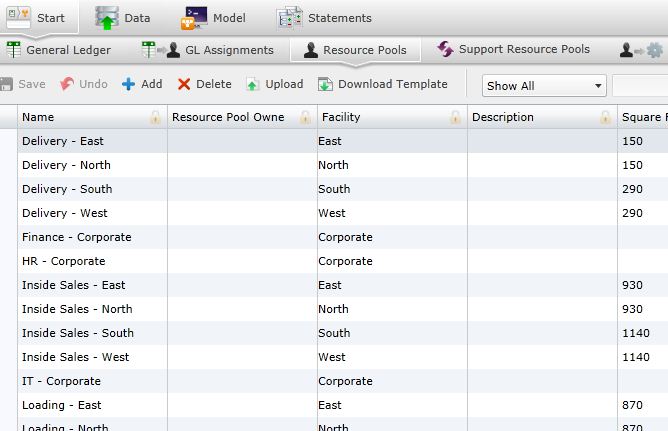
Selecting the Resource Pools panel on the Start screen will open the Resource Pools screen.
To add resources manually:
. A new row will appear in the table. .
To upload files:
 . A download pop-up screen will appear. Choose your options and select "OK."
 . The "Upload" panel will open. .
Select  at any time to delete any changes you have made. Select
  to delete an entire process.
Related Topics:
Introduction to Business Rules
General Ledger to Resource Pool Assignments
Resource Pool to Resource Pool Assignments